
CVOCA GYAAN GANGA 34 (English) DIGITAL SAARTHI SERIES – PART 2 – GUIDE TO SAFE DIGITAL TRANSACTIONS
In this second part of Digital Saarthi Series we cover about simple, practical steps to protect your hard‑earned money while using UPI, QR codes, cards, net banking and Aadhaar.
1. Digital Payments (UPI / QR) – Simple Rules for Safe Transactions
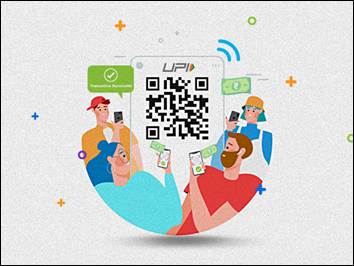

UPI is now the most commonly used method for paying shops, bills and transferring money. If used correctly, it is safe, fast and reliable but staying alert is essential.
How UPI Works
- Your bank account is linked to a UPI app (like BHIM, Paytm, PhonePay, Gpay, bank app).
- You create and set a UPI PIN, which is needed only when you send money. Note: You are not required to enter the set UPI PIN when you receive money.
- You do not need to share card number, CVV or account numbers with anyone for normal UPI payments.
Do This
- Always verify the beneficiary’s name and amount before confirming a payment. A single incorrect digit can route funds to the wrong person, and recovering such payments can be difficult and time-consuming
- Keep SMS and app notifications ON to track every debit or credit immediately.
- Set UPI transaction limits and daily limits for added safety.
- Update your UPI app regularly for better security.
Avoid This
- Never share your UPI PIN with anyone, even if the caller claims to be from a bank, RBI or police.
- Never enter your PIN when you receive money—receiving money requires no PIN.
- Do not click payment links received on SMS/WhatsApp for unknown transactions or cashback offers. Avoid payments through unfamiliar links or unknown apps.
- Avoid using UPI while connected to public Wi-Fi like malls, airports, cafes etc.
2. QR Code Scanning – Safe Practices for Everyday Use
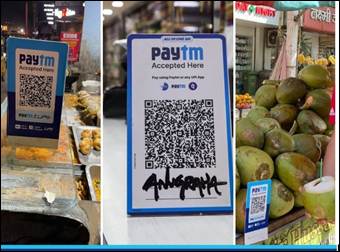
QR codes make payments quick, but careless scanning can lead to fraud.
Do This
- Scan only printed QR codes at merchant’s counters.
- Confirm the merchant name on your app screen before paying.
- Check if the QR sticker looks tampered or replaced.
Avoid This
- Do not scan QR codes received via WhatsApp, SMS, email or unknown callers.
- Do not scan a code when someone says “scan this to receive money”—that is a scam as scanning always means you might pay, not receive.
- Avoid scanning codes shown on another person’s mobile screen unless verified.
3. Debit Card & Net Banking – Keep Your Accounts Secure
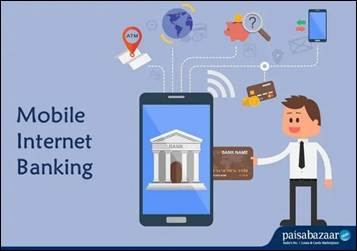

Cards and net banking give powerful access to your money and credit. Treat them like the keys to your home safe.
Debit/Credit Card Safety Tips
- Keep international usage switched OFF at all times. Enable it only when you are travelling abroad or when you need to make a genuine online foreign payment. Switch it off again immediately after use.
- Set daily limits for ATM withdrawals and online transactions.
- Enable instant SMS/email alerts for every transaction.
- If your card is lost, stolen or misused, block it immediately using your bank app, website or helpline.
Net Banking Safety Tips
- Access net banking only through the official bank app or typing the official bank’s website address directly.
- Avoid searching login pages on Google—fake sites often appear at the top.
- Do not store passwords in browser’s autofill or phone notes or whatsapp chats. Use strong passwords with a mix of letters, numbers and symbols.
- Approve new beneficiary addition only if you initiated the process.
4. Financial Hygiene – Daily Habits That Protect You
Good financial hygiene helps prevent fraud – even before it happens.
Healthy Digital Habits
- Read every transaction message carefully.
- Review bank and credit card statements atleast monthly using the official app or statement PDF.
- Use strong passwords combining letters, numbers and symbols.
- Regularly update your phone’s operating system and payment apps.
- Download apps only from the Google Play Store or Apple App Store.
- Enable device screen locks (PIN, fingerprint or face unlock).
Avoid This
- Do not install apps suggested during calls, especially apps that allow screen sharing or remote access.
- Do not click links offering cashback, free gifts, rewards or “KYC reactivation” for your bank or wallet.
- Never store OTPs, PINs or passwords in open notes or dairy lying around or message chats.
- Avoid making payments blindly when you feel rushed, tired or emotionally pressured – take pause and recheck.
5. Aadhaar & Biometric Security – Protect Your Identity
Aadhaar is widely used for KYC, banking and verification. Misuse can be avoided with a few precautions.
Do This
Aadhaar Best Practices
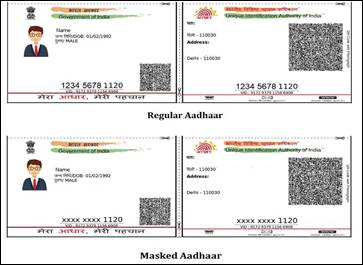
- Use Masked Aadhaar, where only the last 4 digits are visible.
- Download Aadhaar only from the official UIDAI website or mAadhaar app.
- Keep your mobile number updated with Aadhaar records.
- Always verify websites or apps before uploading Aadhaar.
Biometric Protection
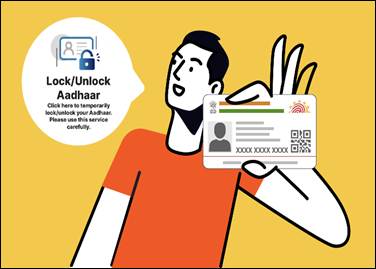
- Lock your Aadhaar biometrics when not using them using UIDAI website or mAadhaar app.
- Unlock only when doing a genuine KYC or verification.
- Ensure that biometric devices (fingerprint/iris) are operated by authorised staff at bank or Aadhar centers.
- Treat Aadhaar OTP as confidential – never share it with anyone.
Avoid This
- Do not share Aadhaar photocopies freely; use Masked Aadhaar instead.
- Do not upload Aadhaar on unverified websites.
- Ignore calls claiming Aadhaar will be disabled or blocked.
6. Using Digital Tools to Make Life Easier
Digital literacy is not only about avoiding fraud; it can also simplify your financial life if used carefully
Helpful Digital Uses
- Set up auto‑pay for electricity, phone and insurance premiums with low limits and alerts so bills are never missed.
- Use official bank or regulator‑approved apps to view FDs, mutual funds, loans and insurance in one place.
- Use bank apps instead of middlemen for basic services like statement download, cheque book request or simple fund transfers, reducing extra charges.
- Keep a physical “Financial and Digital Diary” locked at home listing bank accounts, nominees, key apps used and important numbers and information so that family can get help in an emergency.
7. If Fraud Happens – Immediate Steps
Even careful people can become victims. Acting fast can reduce your loss and improve recovery chances.
Act Immediately
- Call your bank helpline or use the app to block cards/UPI and change passwords.
- Report the incident on the National Cybercrime Helpline 1930 or the cybercrime portal, and then to local police, as guided.
- Inform your trusted family member so they can help with documentation and follow‑up.
Do not feel ashamed if you are cheated – fraudsters are professionals. Your awareness and timely action can protect not only your money, but also that of your family and community.
8. Quick Summary for Public Awareness
| Area | Safe Practices | Avoid |
| UPI Payments | Verify name, keep alerts ON, set limits | Sharing PIN, entering PIN when receiving money |
| QR Codes | Scan printed codes only | Scanning QR codes from chats/messages |
| Cards | Keep limits, monitor alerts | Keeping international usage ON |
| Net Banking | Use official website/apps | Using Google search for login links |
| Digital Hygiene | Strong passwords, updates, trusted apps | Installing unknown apps, clicking suspicious links |
| Aadhaar | Use Masked Aadhaar, lock biometrics | Sharing Aadhaar OTP or unmasked copies |